

 -40%
-40%
Corel · Software & Digital Goods
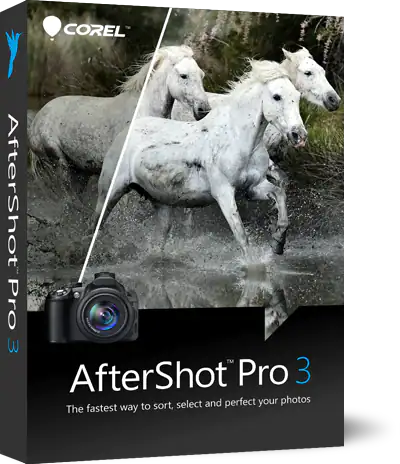
Corel AfterShot Pro 3 Photo Editor
$47.99$79.99
Press Enter to see every coupon, deal, product and article for your search.
-40%Follow these steps for coupon codes, deals and any other offer.
Corel is one of the best-known names in creative and productivity software. For decades its programs have been used by designers, illustrators, photographers, video editors and office workers, and household names such as CorelDRAW, PaintShop Pro and WordPerfect still turn up whenever people search for alternatives to the biggest software subscriptions. This page explains what Corel offers, who it suits and how to find its offers through Coupon N Discounts.
Corel develops graphics, photo, video and productivity software used by a very large worldwide audience. Over the years the company has grown a portfolio that covers vector illustration, digital painting, photo editing, video production, document creation and file compression. Many of its programs are available to try before you buy, and the brand highlights the option to test popular products for free without a credit card, which makes it easier to see whether a tool fits your workflow.
Software is sold through the brand’s own website, with downloads available after purchase. Depending on the product, you may be able to choose between a subscription and a one-time purchase, so it is worth reading the licence details carefully before you pay.
Product lineups and version names change over time, so check the brand’s own site for the editions available in your region.
Corel is a strong option for people who want capable creative software without committing to a large subscription ecosystem. Freelance designers, small businesses, sign makers, hobbyist photographers, students and home video editors all use its tools. If your workplace standardises on a different program or your clients need files in a specific format, check compatibility first. Most Corel programs open and save widely used file formats, but it never hurts to confirm before you buy.
Coupon N Discounts is a discovery site, not a store, so nothing is sold or shipped here. When you open a Corel offer from this page you are taken to the brand’s own website to complete the purchase. We follow one simple rule: no fake codes. A code is shown only when it is real, a sale is described honestly when there is no code, and offers that have ended are marked as ended.
Check the coupons, deals and products listed on this brand page and read the details of each. Software offers can depend on the product, edition, licence type and region, so make sure the terms match what is in your cart.
Software is easy to buy and harder to return, so a few checks are worth the time. Confirm that your computer meets the system requirements, including the operating system, memory and graphics needs. Check whether the licence covers one computer or several, and whether it can be moved to a new machine. Look at what happens when a new version is released and whether updates are included. If you work with clients, make sure the file formats you rely on are supported. Finally, keep your licence key and order confirmation in a safe place so you can reinstall the software later.
If you want serious creative or productivity software with a long track record, Corel is worth a look. Use the offers on this page as a starting point, confirm the final price and licence terms at the brand’s checkout, and keep your order details safe after you buy.
Common questions about Corel's coupons and deals.
Corel is a long-established software company that sells through its own website. Coupon N Discounts does not sell anything, so purchases happen on the brand's site. Always check the official domain and the final checkout page before you pay.
Open this brand page and look at the coupons, deals and products attached to Corel. We show only what we have actually found and mark anything that has ended.
No. We are a discovery site, not a store. Each offer links out to the brand, where you complete your purchase.
We aim to list real offers only and to mark expired ones. Terms can change quickly, so confirm the final price and conditions on the brand's page before you pay.
Prices can change with the product, edition, licence type, currency or region you select. The brand's checkout always shows the final amount.
That depends on the brand's own rules. Some offers cannot be combined, so read the terms for each one before checking out.